
The briefing folder
you prepare for your AI.
EIC — Everything is Context — is a macOS workbench for organizing, scoring and serving context to AI agents. You decide what the agent gets to know, and you see how good it is before you hand it over.
In development · macOS · Not a chat app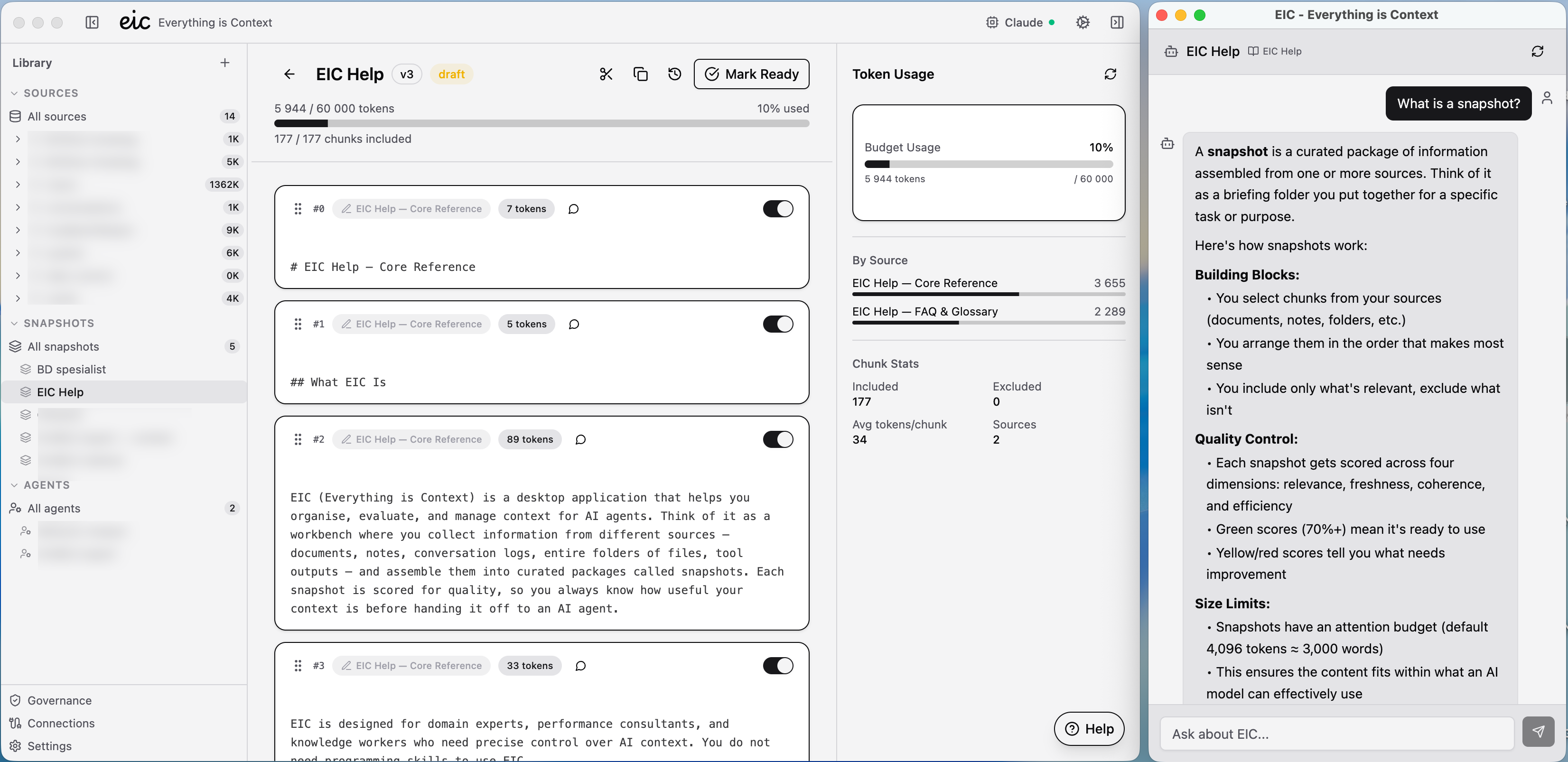
Where the idea comes from
The name comes from the research paper “Everything is Context” (Xu et al., 2025), which treats everything an AI agent works from — documents, memory, tool outputs, human input — as one thing: context that can be mounted, addressed, scored and governed. EIC turns that idea into a desktop app for people who are not developers.
A useful analogy: if an AI agent is a consultant you have hired, EIC is the briefing folder you prepare before the meeting. You decide what goes in the folder, you check that it is complete and up to date, and you hand it over when the consultant is ready to work. EIC is not a chat interface and not an AI assistant — it is the preparation step that happens before the conversation.
What it does
You collect sources — documents, notes, folders of Markdown files (an Obsidian vault, say), conversation logs, tool outputs. EIC splits each source into chunks that follow the document's own structure, so you can include the section you need and leave out the rest.
From those chunks you assemble snapshots — curated briefing packages with an attention budget: a token limit you set to match the AI model and the task. Every snapshot is scored for quality across four dimensions — relevance, freshness, coherence and efficiency — so you know how useful your context is before an agent sees it.
When a snapshot is ready, any MCP-compatible AI client — Claude Desktop, for instance — can connect to EIC and retrieve it. Agent profiles and governance rules control which agent gets access to what.
EIC is built for domain experts, performance consultants and knowledge workers. If you can organize files in folders, you already have the mental model — no programming skills required.
Under the hood
EIC is an Electron app written in TypeScript, with a React interface and a local SQLite database. The MCP server runs inside the app itself, built on the official MCP TypeScript SDK — no separate process to install or configure. Documents are parsed locally, Markdown, PDF and Word included, and token counts come from a real tokenizer, not a word count — so the budget you see is the budget the agent gets.
Your data
Local-first. Your sources and snapshots live in a database on your own Mac — no server, no account, no analytics. Agents only see what you have put in a snapshot and chosen to serve them.
Status
- Platform
- macOS
- Now
- In development, not yet released.
- Next
- Integration with Agent Skills — EIC serving the curated context a skill needs to do its job.